Enterprise Forms Automation in 2026: Where the Workflow Still Leaks
TL;DR
Enterprise forms automation in 2026 has solved the plumbing — routing, e-signatures, conditional logic, system integration — but it has not solved the leak at the top of the funnel, where roughly two-thirds of submissions are abandoned before they ever reach the workflow. The average form abandonment rate across industries sits near 67%, completion collapses from 23.1% at three fields to 6.9% at ten or more fields, and even a heavily optimized 15-field enterprise demo form hitting 35% is considered exceptional. Vendors like DocuSign, Adobe Acrobat Sign, and Formstack automate everything that happens after someone submits, but they still depend on a static field-based intake that flattens human context into dropdowns. The result is clean, structured, low-context data: you learn what someone selected but never why they chose it, what they were unsure about, or what would have changed their mind. Conversational capture — an AI interviewer that asks, follows up, and adapts in real time — closes the gap by raising completion and capturing the intent that static fields strip out. Perspective AI runs this conversational intake layer in front of the same back-end workflows you already automate, so the pipeline stays full and the data carries context. The fix is not a better form; it is replacing the form with a conversation.
What Enterprise Forms Automation Solves — and What It Misses
Enterprise forms automation is the practice of using software to capture, route, validate, and process form data across an organization without manual handoffs. It covers everything from intake and approvals to e-signatures and downstream system updates, and in 2026 the leading platforms — DocuSign, Adobe Acrobat Sign, Formstack, and the low-code workflow suites — do the back half of that job extremely well.
What they do not fix is the front half: getting a complete, high-context submission in the first place. Workflow automation reliably delivers 25-30% productivity gains and 40-75% fewer processing errors according to aggregated 2026 workflow-automation data, but those gains only apply to the records that actually arrive. If your intake form leaks 60-67% of its starts, you have automated the handling of a half-empty bucket.
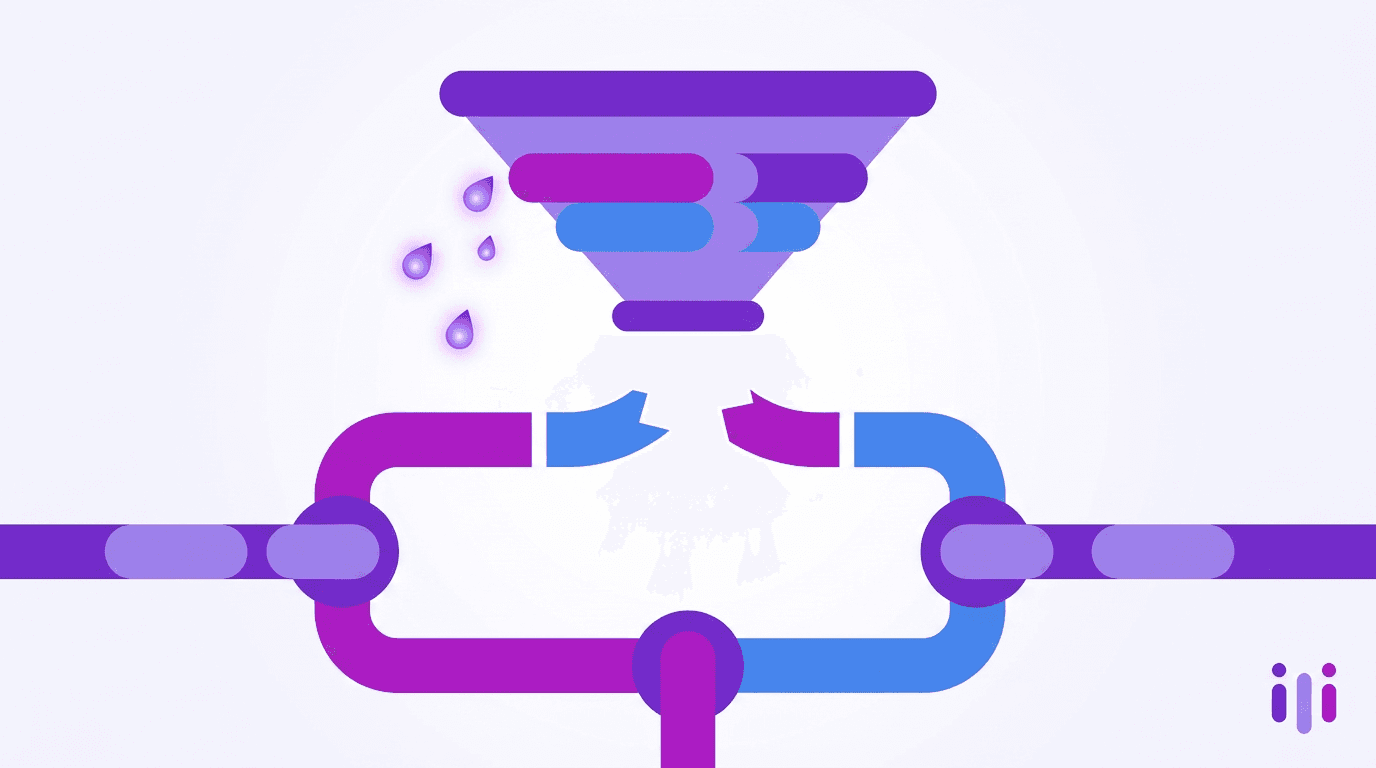
This is the core tension of enterprise forms automation in 2026. The workflow is fast and reliable. The data feeding it is thin, abandoned at high rates, and stripped of the reasoning that makes it useful. The leak is not in the pipes — it is at the faucet. Our breakdown of the SaaS funnels that quietly killed their forms found the same pattern across 100 companies: optimizing the back-end never recovered the front-end loss.
Where the Workflow Still Leaks: 4 Failure Points
Enterprise forms automation leaks at four predictable points — abandonment, context loss, data quality, and the integration gap — and each one compounds the next. Here is where the workflow breaks down.
Leak 1: Field count drives abandonment
Every field you add measurably lowers completion. Conversion drops modestly from 23.1% at three fields to 17.0% at five, then collapses to 11.4% at seven fields and 6.9% at ten or more per 2026 form-conversion benchmarks. Enterprise intake forms routinely run 11-15 fields because legal, compliance, sales ops, and finance each demand their own data, so the form grows until it actively repels the people it is meant to qualify. Around 18% of users abandon specifically because a form "feels too long or complicated."
Conditional logic was supposed to fix this by hiding irrelevant fields, and it helps — our look at how conditional-logic forms actually work shows real gains. But branching logic still presents a static form; it just shows a shorter static form. The respondent is still translating themselves into your schema. For a deeper teardown of why multi-step forms leak, see the 2026 form-abandonment report.
Leak 2: Context gets stripped at capture
The second leak is invisible because the form looks complete. A dropdown forces a person to pick "pricing" as their reason for churning when the real reason was "pricing relative to a feature you removed last quarter." That nuance never enters the workflow, because the field had no room for it. Static intake forms are structurally incapable of capturing the "why," which is exactly why static intake forms keep killing conversion rate even when every field is filled.
This is the difference between data and understanding. Forms flatten customers into schemas — people must translate themselves into your categories before you have earned any trust. The highest-value answers are the messy ones ("it depends," "I'm not sure," "well, actually") and a dropdown has nowhere to put them. We covered this failure mode in detail in why in-app feedback widgets miss the why.
Leak 3: Garbage in, automated garbage out
Automation amplifies whatever quality the intake produces. When the form captures incomplete or mis-categorized data, the workflow doesn't catch the error — it routes it faster. A mis-typed account size sends a strategic deal to the SMB queue; a vague "other" selection lands in a bucket no one owns. The data-quality problem starts at the source, which is why we argue you have to stop bad intake at the source rather than clean it downstream.
The downstream cost is real. Data silos already cost organizations an average of $7.8 million annually in lost productivity, and only 29% of the average enterprise's ~897 applications are integrated with one another according to 2026 information-silos research. Feeding low-context records into that fractured stack means the same thin data is duplicated, mis-routed, and re-keyed across systems.
Leak 4: The integration gap between capture and action
The final leak sits between what the form collected and what the team needs to act. Forms automation moves the record into your CRM, ticketing, or document workflow — but it cannot move the reasoning, because the reasoning was never captured. A salesperson opens a qualified lead and still has to call to find out what the prospect actually wants. The automation "worked," yet the human still does the discovery the form was supposed to do.
That is the gap conversational capture closes: it does the discovery during intake, then hands the structured result and the transcript to the same workflow. Our 2026 playbook for replacing lead forms with AI walks through exactly how that handoff works without ripping out your existing automation.
Why Static Forms Can't Be Optimized Out of This
Static forms cannot be optimized out of the leak because the leak is structural, not cosmetic. You can shorten the form, prettify it, add a progress bar, or split it across steps — and you will recover a few points — but you cannot make a dropdown ask a follow-up question. The form's job is to fit people into fields; the business's job is to understand people. Those two goals are in permanent tension.
This is the form-conversion-rate myth: the belief that the next round of field optimization will finally fix the funnel. It won't, and we showed why in the form-conversion-rate myth. The teams that pulled ahead stopped optimizing the form and changed the medium. Product-led companies were first to act — they killed their lead forms before anyone else — and the broader shift is now well underway across the post-form era of SaaS funnels.
The core POV at Perspective AI is blunt: AI-first data capture cannot start with a web form. Decorating the form with AI doesn't change that, which is why AI forms are not the same thing as a real conversational layer.
How Conversational Capture Closes the Gap
Conversational capture closes the gap by replacing the static form with an AI interviewer that asks one question at a time, follows up on vague or interesting answers, and adapts the path in real time — so completion rises and the "why" is captured at the point of intake. Here is how it works inside an enterprise stack.
Step 1: Replace the form, not the workflow. Swap the static intake surface for a Concierge agent that conducts the intake as a conversation. Everything downstream — routing, e-sign, CRM sync — stays exactly as your forms automation already has it.
Step 2: Ask one thing at a time. Instead of confronting the respondent with 15 fields, the AI interviewer asks a single question, then the next, lowering the perceived effort that drives ~18% of abandonment. Single-question pacing is a core reason embedded conversations convert better than embedded forms.
Step 3: Follow up on the messy answers. When someone says "it depends," the conversation probes instead of forcing a dropdown. That is where context is captured — the constraint, the intent, the "why now." This is the entire premise behind replacing forms with AI chat.
Step 4: Hand structured data and context to the workflow. The conversation produces clean fields for your systems plus a transcript and summary for the human. The Intelligent Intake product is built to deliver both into the same automated pipeline you already run.
Step 5: Make it continuous. Because the intake is a conversation, it can keep learning — the foundation for running continuous discovery at scale rather than treating intake as a one-time form submission.
The Enterprise Context: Why This Matters More at Scale
At enterprise scale the leak is larger in absolute terms and more expensive to ignore. A 35% completion rate on a high-intent demo form may be "exceptional" by benchmark standards, but it still means roughly two of every three qualified visitors walked away — and at enterprise deal sizes, that is a material revenue leak, not a rounding error.
Enterprises also carry the heaviest context tax. With 83% of organizations reporting internal silos and 97% saying those silos hurt performance, the cost of capturing thin, low-context data and scattering it across disconnected systems compounds fast. Enterprise CXM platforms like Qualtrics and Medallia promised to fix this, but they remain fundamentally survey-based and expensive to operate — the 2026 enterprise CX decision between Medallia, Qualtrics, and conversational AI lays out the tradeoff. Teams tired of that overhead are increasingly evaluating Qualtrics alternatives without the enterprise tax.
The vertical proof points are everywhere. Insurance carriers are learning why forms lose quotes and claims. Law firms are moving from PDF forms to conversational triage. Healthcare practices are replacing clipboards with conversations. And across B2B, 73% of top SaaS companies dropped their activation forms for exactly these reasons. For CX teams and product teams alike, the pattern is the same: the workflow is fine; the form is the leak.
Static Forms Automation vs. Conversational Capture
The two approaches differ less in their back-end automation than in what they capture at the front. Here is the side-by-side.
The honest read: if your intake is a genuinely transactional signature or a fixed regulatory field set, a static automated form is fine. For everything where you need to understand the person — qualification, onboarding, discovery, feedback, claims — conversational capture is the upgrade. For most enterprises that need both, the right move is to run conversational intake in front of the workflows forms automation already powers. That "best of both" position is why teams comparing AI CX tools by what they actually improve land on a listening layer rather than another pipeline tool.
What Teams Report After Switching
Teams that replace static intake with conversational capture consistently report the same three outcomes: higher completion, richer data, and less manual follow-up. The mechanism is straightforward — when you stop making people translate themselves into fields, more of them finish, and the ones who finish tell you more.
The conversion delta is not marginal. We documented how the gap between forms and conversations hit 4x in 2026, and the durability of that gap is why the survey stack is effectively dead for B2B intake. The second-order benefit is that sales and CS stop spending the first call rediscovering what the form should have captured — the context arrived with the lead.
Frequently Asked Questions
What is enterprise forms automation?
Enterprise forms automation is software that captures, validates, routes, and processes form data across an organization without manual handoffs, typically including e-signatures, conditional logic, approvals, and integration with systems like CRM and document workflows. In 2026 the leading platforms automate the workflow after submission reliably, but they still depend on static field-based intake that abandons roughly two-thirds of starts and strips out respondent context.
Why do enterprise forms have such high abandonment rates?
Enterprise forms have high abandonment rates primarily because of field count and friction. Completion drops from 23.1% at three fields to 6.9% at ten or more, and about 18% of users abandon because a form feels too long or complicated. Enterprise forms routinely run 11-15 fields because multiple departments each demand their own data, so the form grows until it repels the qualified people it is meant to capture.
Can conditional logic fix the form completion problem?
Conditional logic helps but cannot fully fix the completion problem. Branching logic hides irrelevant fields and recovers a few points, but it still presents a static form and still forces respondents to translate themselves into your schema. It cannot ask a follow-up question or capture the reasoning behind an answer, so the structural context loss remains. Conversational capture goes further by adapting the path and probing messy answers in real time.
Does conversational capture replace my existing forms automation workflow?
No — conversational capture replaces the intake surface, not the back-end workflow. An AI interviewer conducts the intake as a conversation and then hands clean, structured data plus a transcript into the same routing, e-signature, and CRM-sync automation you already run. You keep the workflow investment forms automation gave you and fix the leak at the top of the funnel where completion and context are lost.
When should an enterprise still use a static automated form?
An enterprise should still use a static automated form for genuinely transactional intake where there is no "why" to capture — fixed regulatory field sets, electronic signatures, or simple confirmations. For any intake where intent, constraints, or reasoning matter, such as qualification, onboarding, discovery, claims, or feedback, conversational capture produces higher completion and far richer data feeding the same downstream automation.
Conclusion: Fix the Leak, Not the Plumbing
Enterprise forms automation in 2026 has mastered the plumbing and ignored the faucet. The workflow is fast, integrated, and reliable — but it sits behind a static form that abandons roughly two-thirds of submissions and strips the context out of the rest, then automates the handling of that thin data efficiently across a fractured stack. Optimizing fields, adding branching logic, or buying a bigger CXM platform recovers points but never closes the structural gap, because a form's job is to fit people into fields while your business's job is to understand them.
The fix is not a better form; it is replacing the form with a conversation that captures the "why" at the point of intake and hands both structured data and context to the workflows you already automate. That is exactly what Perspective AI does — conversational intake that raises completion, captures intent, and feeds your existing pipeline. Start a research conversation or see the plans to put a conversational intake layer in front of the workflow that is currently leaking.
More articles on AI Conversations at Scale
AI for CX: A 90-Day Rollout Sequence for Teams Starting From Surveys
AI Conversations at Scale · 14 min read
Survey-Based CX Measurement vs Conversational VoC: Why the Model Is Shifting in 2026
AI Conversations at Scale · 13 min read
Streaming & Media Customer Experience in 2026: Beating Subscriber Churn
AI Conversations at Scale · 12 min read
How Conversational AI Platforms Boost CSAT: A 2026 Buyer's Guide
AI Conversations at Scale · 13 min read
AI Tools for Customer Behavior Analysis in 2026, Compared
AI Conversations at Scale · 13 min read
Forms and Workflow Software in 2026: When to Upgrade to Conversations
AI Conversations at Scale · 16 min read