AI Forms Are Not Form Builders: What to Use Instead
TL;DR
Most tools ranking for "AI forms" are actually AI form builders. They help a creator describe a form in plain language, generate fields, add logic, and publish faster.
That is useful. It is not the real shift.
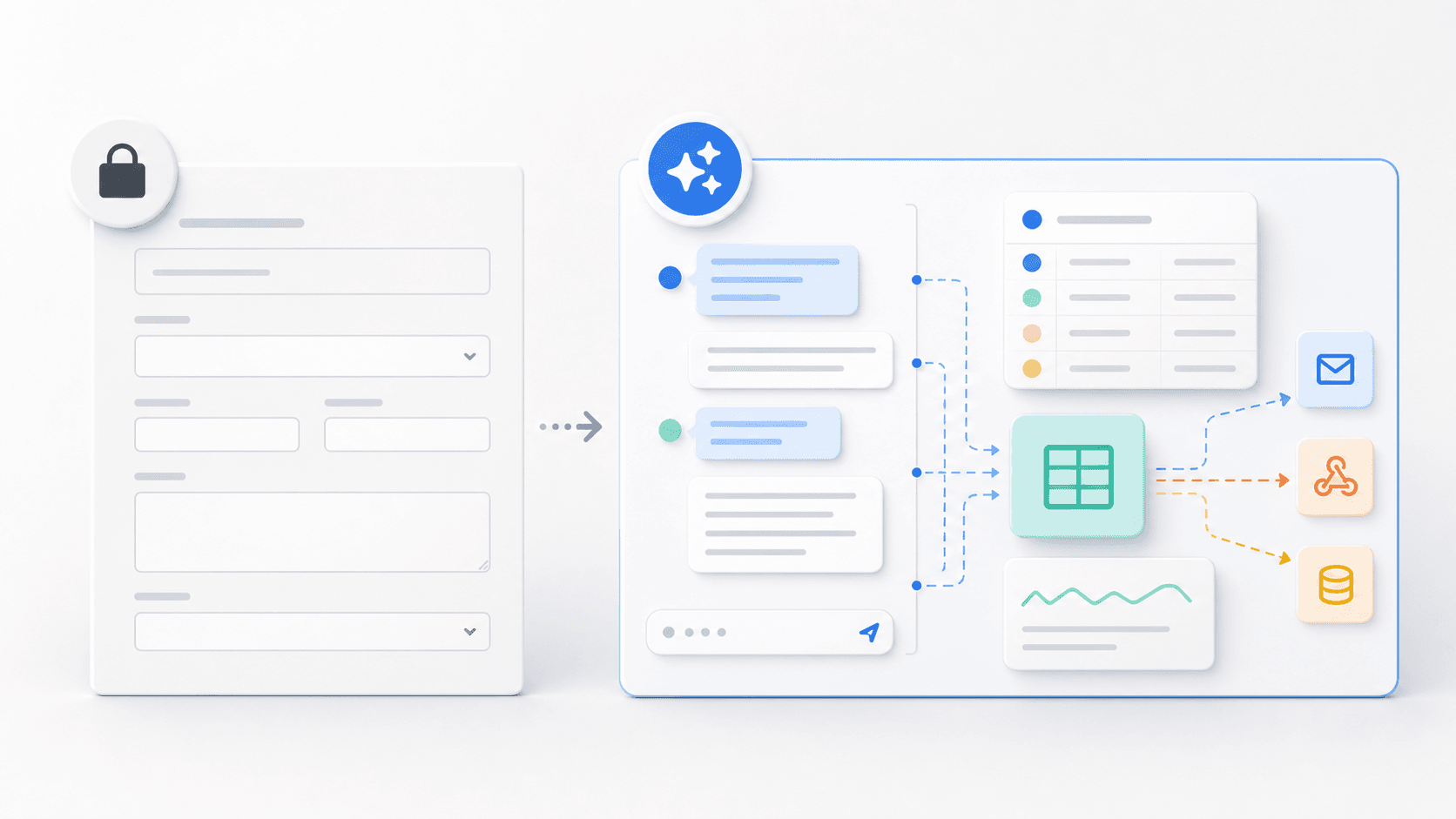
A real AI form changes the respondent experience. Instead of asking every person to work through the same fixed fields, it runs an adaptive conversation, asks follow-up questions, captures structured data in the background, and routes the person to the right next step.
The practical distinction is simple: an AI form builder makes the old form faster to create. An AI form replacement makes the form unnecessary.
The current "AI forms" search result has a category problem
Search for AI forms today and the dominant pages mostly promise the same thing: describe the form you want, let AI generate the fields, customize the design, then collect submissions.
That framing solves the creator's blank-page problem. It helps the marketer, operator, recruiter, or event planner build a form faster.
But it leaves the customer's problem almost untouched.
The person filling it out still sees:
- A fixed sequence of questions
- Predefined dropdowns
- Open text boxes with no follow-up
- Required fields that may not apply
- A submit button that ends the interaction
This is why the category needs a harder definition. If the AI only helps build the form, the user is still stuck with a form. That may be fine for simple data collection. It is not enough for lead qualification, client intake, applications, onboarding, event registration, or customer feedback where context changes the outcome.
What an AI form should actually do
An AI form should not be a prettier form with an AI setup assistant. It should be an AI-led intake experience that collects structured data through conversation.
The user should be able to speak naturally:
"We are a 40-person company, but only six people would use this right away. We are trying to replace a messy spreadsheet process before Q3."
A static form would split that into company size, seats, timeline, and use case. If the user does not know how to map their situation into those fields, the data gets messy.
An AI form should understand the answer, infer the structured fields, and ask the next useful question:
"Got it. Is the Q3 deadline driven by an internal project, a renewal, or a customer-facing launch?"
That is the difference. The intelligence is not only in form creation. It is in the interaction.
AI form builder vs. real AI form
This is the point most "AI form alternatives" lists miss. They compare tools by builder speed, templates, logic, integrations, and price. Those matter. But they do not answer the more important question: does the tool understand the person filling it out?
The four alternatives to a traditional form
If you are looking for AI form alternatives, you are probably in one of four buying paths.
1. AI-assisted form builders
These tools use AI to create the form faster. You describe what you need, and the system generates questions, fields, validation, and sometimes conditional logic.
Use this when the form itself is not the problem. A simple RSVP, internal request, quick survey, or contact form may only need faster setup.
Do not use this when the hard part is understanding the situation behind the submission. A faster form still cannot clarify ambiguity, probe vague answers, or route based on nuance unless you manually anticipated every path.
2. Conversational form interfaces
These tools make forms feel more conversational by showing one question at a time or using a chat-style layout. They can improve focus and reduce visual overwhelm.
But most are still forms underneath. The path is fixed. The questions are predefined. The branching logic is configured ahead of time.
Use this when the problem is presentation. Avoid treating it as AI intake if it cannot decide what to ask next based on what the person just said.
3. Website chatbots
Support chatbots and website assistants can answer questions, deflect support tickets, and guide visitors around a site.
They are not automatically AI forms. A chatbot without a schema is not intake. It may produce a transcript, but it will not reliably produce clean fields, validation, routing, or a handoff your team can act on.
Use this when the job is support or self-service. For structured capture, make sure the system has a defined output schema and completion criteria.
4. Conversational intake AI
Conversational intake AI is the real AI form alternative. It starts with the outcome: qualify a lead, open a claim, screen a client, register an attendee, onboard a customer, or collect feedback.
Then it runs a conversation to get there.
The system asks the first question, understands natural language, follows up when answers are vague, skips what it already knows, captures structured fields, and routes the person based on the final context.
This is where Perspective AI fits. Perspective's Concierge agent replaces static forms with adaptive conversations that produce both structured data and the story behind it.
When a form builder is still the right answer
Not every form should become an AI conversation.
Use a form builder when:
- You only need a few known fields
- The answer has no meaningful ambiguity
- The user fills the same form repeatedly
- Legal or compliance language must be shown in a fixed order
- The business value of follow-up is low
A newsletter signup does not need an AI conversation. A two-field contact form may not either.
But the moment the answer affects qualification, routing, pricing, eligibility, onboarding, or strategy, the form starts to break down. That is where an AI form replacement earns its place.
How to evaluate AI form alternatives
When vendors call themselves AI forms, ask sharper questions.
Does the AI only build the form, or does it run the intake?
If the AI disappears after setup, you bought a faster builder. That may be useful, but it is not a conversational intake layer.
Can it ask follow-up questions in real time?
The value of AI is not asking "What is your budget?" It is knowing when "we are not sure yet" deserves a follow-up about approval process, urgency, and what would justify spend.
Does it produce structured output?
Do not settle for a transcript. The system should return fields your CRM, help desk, case-management system, spreadsheet, or workflow automation can use.
Can it route based on meaning?
The output should trigger the next step: book the right meeting, escalate the right request, disqualify politely, notify the right owner, or create the right record.
Does it preserve context?
Structured fields are not enough. Your team should also get the explanation behind the answer, because that is what makes the next human interaction sharper.
Why Perspective AI is not a form builder
Perspective AI does not start with the question, "How do we help you build a better form?"
It starts with, "What should this conversation understand?"
That shift matters. A form builder is optimized around fields. Perspective is optimized around meaning extraction:
- The Concierge agent talks to the visitor, lead, client, applicant, or customer
- The conversation adapts based on what the person says
- Required fields are captured as structured output
- Ambiguous answers trigger follow-up questions
- Completion flows route people to the right next step
- Teams get the transcript, summary, and schema-aligned data
In other words, Perspective gives you what a form was supposed to collect, plus the context the form could never ask for.
The best first use cases
Start where a static form is already costing you something measurable.
Demo requests
Replace "Book a demo" forms with a short AI conversation that captures why now, current workflow, urgency, role, company size, budget signal, and routing criteria before the meeting is booked.
Client intake
Replace long onboarding questionnaires with a guided conversation that collects goals, constraints, stakeholders, timeline, and edge cases without making every client answer irrelevant questions.
Event registration
Replace generic registration fields with a conversation that captures why someone is attending, what sessions matter, accessibility needs, dietary details, and sponsor or sales relevance.
Support intake
Replace dropdown-heavy ticket forms with a conversation that diagnoses issue type, urgency, system context, and required attachments before creating the ticket.
Customer feedback
Replace static post-event, post-purchase, or churn surveys with AI-led follow-up that gets beyond "too expensive" or "not a fit" and into the reason behind the answer.
FAQ
What are AI forms?
AI forms are data-collection experiences that use AI to either build forms faster or replace static forms with adaptive conversations. The important distinction is whether AI only helps the creator build the form or also helps the respondent complete the intake.
What is the best AI form alternative?
The best AI form alternative depends on the job. If you need a simple form faster, an AI-assisted form builder is enough. If you need qualification, routing, context, and follow-up, use conversational intake AI like Perspective AI.
Are AI form builders the same as conversational forms?
No. AI form builders use AI to generate form structure. Conversational forms change the front-end experience, usually by showing one question at a time. A real AI form replacement goes further by adapting the conversation in real time and producing structured output.
Can AI forms replace Typeform, Jotform, or Google Forms?
Yes, for high-context workflows. If you only need a simple survey or internal poll, a traditional form builder may still be the right tool. If your current form is qualifying leads, screening clients, collecting applications, or routing requests, an AI conversation is usually a better model.
Do AI forms still integrate with CRMs and workflows?
They should. A serious AI form replacement needs structured output, field mapping, webhooks, CRM sync, notifications, and routing logic. Otherwise it is just a chat transcript.
The category is bigger than form building
AI form builders are a useful step. They make it easier to create the artifact businesses already know.
But the bigger opportunity is not building forms faster. It is replacing the form as the default interface for high-value information collection.
That is the point of AI forms: not a better builder, not a prettier layout, not a chatbot bolted onto a submit button. The point is adaptive structured understanding.
If your form drives a business decision, it should be able to understand first.
Explore Perspective AI's Intelligent Intake, see how the Concierge agent works, or start a project to replace your highest-friction form with an AI conversation.
More articles on Intelligent Intake

The Ultimate Guide to AI Intake Software: Replace Forms with Intelligent Conversations
Intelligent Intake · 18 min read

How Conversational AI Made Lemonade the Fastest-Growing AI Insurance Company in Pet Insurance
Intelligent Intake · 11 min read
Best Mobile App Onboarding Software in 2026: 9 Platforms Ranked by What They Learn About the User
Intelligent Intake · 24 min read
Consumer App Onboarding Drop-Off in 2026: How to Find Where New Users Actually Stall
Intelligent Intake · 23 min read
What Alma's Model Reveals About Therapist-Client Matching in 2026
Intelligent Intake · 16 min read
Best Client Intake Software for Therapists in 2026: 8 Tools Compared
Intelligent Intake · 16 min read